
A conversation.
A whole production.
Give your agents a brief, your footage or your whole media library. Every example below is a real chat with the render it produced.
Across all of Jeff Dean's talks, how has his view on scaling changed? Show me with a chart, then cut a 90-second supercut in chronological order.
- Analyze scaling views library-wide
- Build chart of evolution
- Select supercut clips
- Build supercut project
- Render supercut
Jeff Dean on scaling, 2008–2026: a chronological supercut
Ask across every recording.
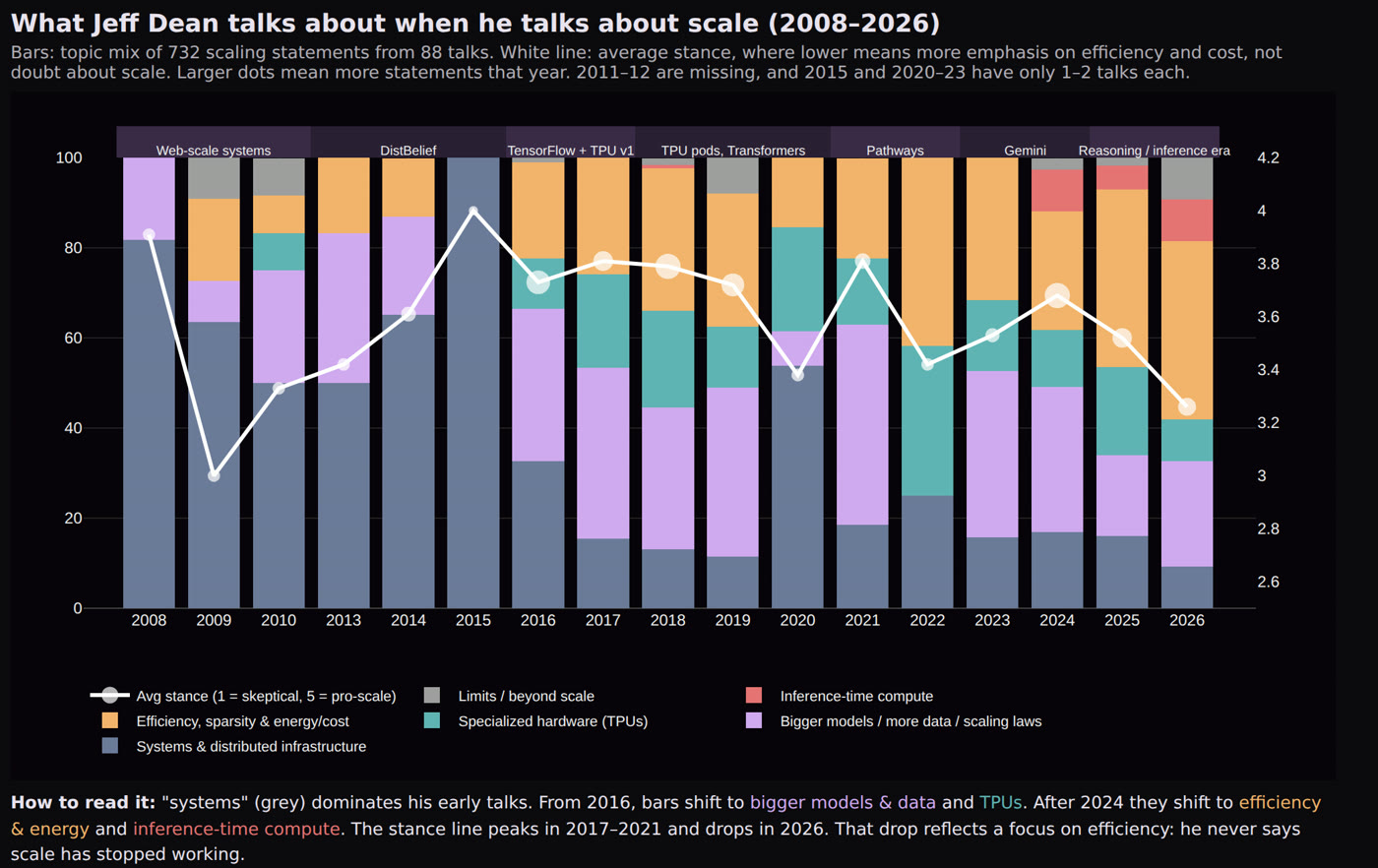
The agent scored 732 statements across 88 talks, charted how the answer changed over 18 years, then cut the supercut in date order.
- You S
Across all of Jeff Dean's talks, how has his view on scaling changed? Show me with a chart, then cut a 90-second supercut in chronological order.
-
 StarZero To-dos (5)
- Analyze scaling views library-wide
- Build chart of evolution
- Select supercut clips
- Build supercut project
- Render supercut
Questions answered- Which aspect ratio? 16:9
- Add small year and event labels so the timeline is easy to follow? Yes
Here's my plan, and 2 quick questions before I start.
- You S
Looks good, go ahead. 16:9, and yes add small year/event labels so I can follow the timeline.
- StarZero
Show 4 actions taken
- Scored 732 statements across 88 talks
- Grouped his views by era
- Computed stance and topic shares per year
- Built the chart of how his view changed
Across 18 years Jeff Dean never says scale has stopped working (1 of 732 statements scored as skeptical). What changed is what he means by scale and how much he pairs it with efficiency.
- StarZero
Show 5 actions taken
- Picked 7 quotes from 2008 to 2026
- Cut every clip on a word boundary
- Added year and event labels
- Checked the edit for rough cuts
- Checked the render frame by frame
I've made … a 91.7-second supercut: 7 clips in date order, each with a small year and event label. I dropped a leading "so" in clip 1 and a repeated "it's" in clip 6 so both start cleanly.
Render · earlier version - You S
It opens on slides, which looks flat. Open with a strong on-camera line as a cold open, then go chronological, and keep the slide-only clips short. Add understated captions too: sentence case, one line, white.
- StarZero
Show 5 actions taken
- Moved the 2025 "bigger model, more data" line to a cold open
- Cut the 2008 and 2013 slide clips to 2.7s and 4.6s
- Added a 2024 clip on distilling big models into small ones
- Cleaned up stray capitals and filler words in the captions
- Checked the render frame by frame
It opens on Jeff on camera, then runs in date order with captions. … The white captions were hard to read over the 2 light slides, so I added a faint dark strip behind them and re-rendered.
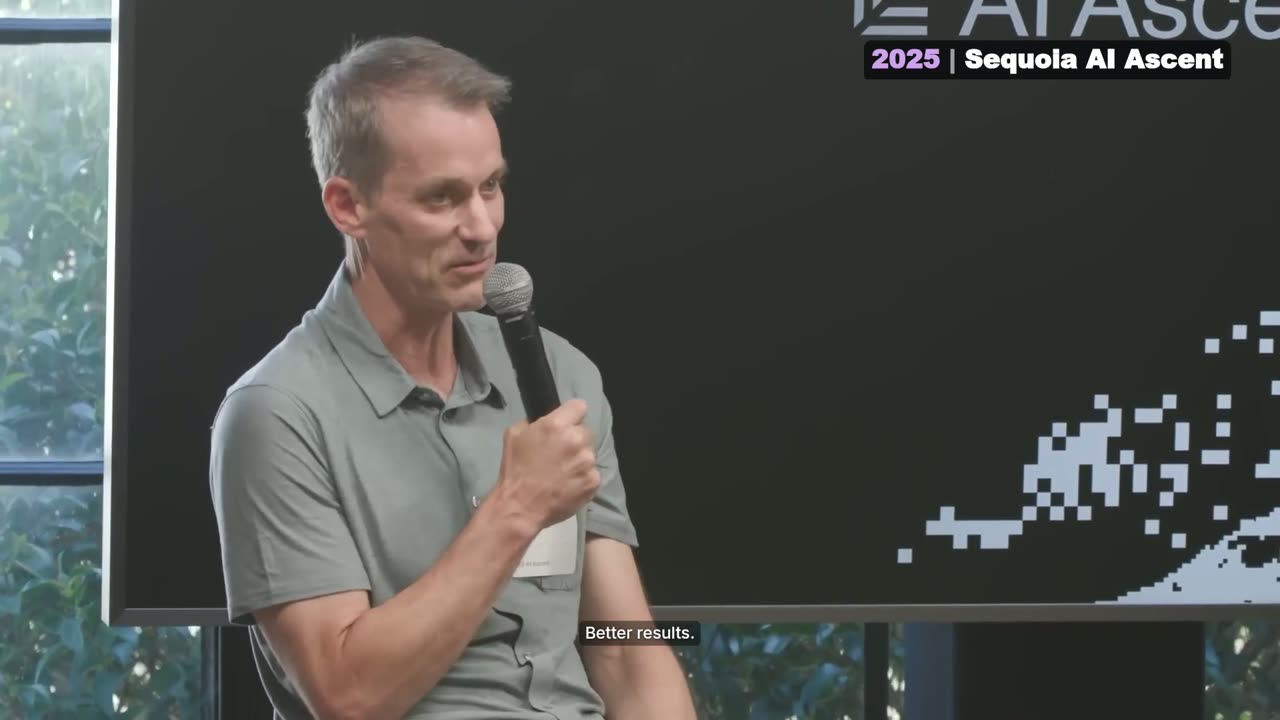
Jeff Dean on scaling, 2008–2026: a chronological supercut
- Library-wide analysis
- Charts
- Multi-source compilation
- Year labels
- Captions
A vertical short, every step yours to change.
- You S
Find the strongest 30-second exchange in this episode, make it vertical and caption it. Keep the captions understated: sentence case, one line, no all-caps.
- StarZero To-dos (4)
- Find the strongest exchange
- Make it vertical and follow whoever is speaking
- Add understated captions
- Render
Here's how I'll handle it. … It needs to make sense to someone who hasn't seen the episode, and it has to start and end on full sentences. Does this sound right?
- You S
Looks good, go ahead. Pick a real back-and-forth between Lex and the guest, not a monologue. Captions minimal: one line, white, sentence case, a soft lavender highlight on the active word, but readable, not tiny.
- StarZero
Show 5 actions taken
- Searched the 4h18m episode for back-and-forths
- Tracked who is on camera for the vertical crop
- Held the last frame so the source's text slide stays out
- Fixed stray capitals in 2 caption words
- Checked the render frame by frame
"Can you put a backdoor in VLC?" Lex and Jean-Baptiste Kempf, 40.1s. It's 8 quick turns … It ends on his line: "We start by compiling the compiler."
Render · earlier version - You S
Tighten the first line.
- StarZero
Show 4 actions taken
- Cut a filler word and the pause after it
- Hid the jump cut with a slight zoom-in
- Removed a stray comma from the caption
- Listened back to the cut point
I tightened the first line to "The intelligence agencies tried to say, can you put a back door in VLC?" by cutting Lex's filler "like," and the pause after it. … The clip now runs 39.2s.
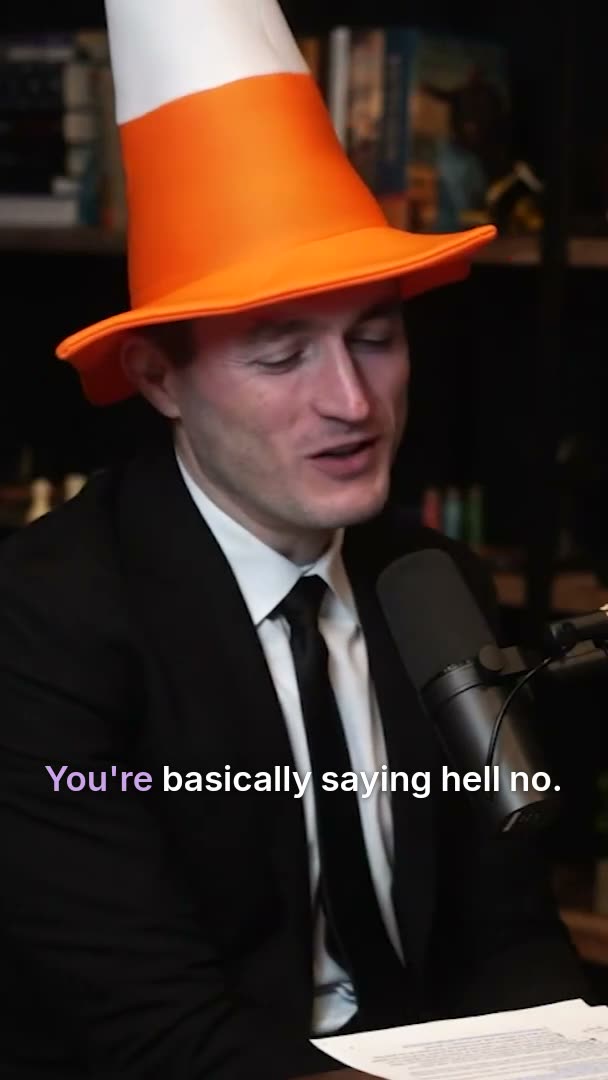
Can you put a backdoor in VLC?
- Active-speaker reframe
- Word-level cuts
- Caption styles
- Jump-cut cover
- Edit checks
A gameplay video becomes a physics lesson.
A bridge from a city-builder game, annotated with animation. Load, tension and compression are drawn in as the narrator explains them.
- You S
Turn this into a 60-second explainer on how a suspension bridge carries load. Animate the forces over the footage and add narration.
- StarZero To-dos (3)
- Load on the deck
- Hangers and main cables in tension
- Towers in compression, cables anchored
Questions answered- What tone should the narration have? Clear and educational
- Which aspect ratio? 16:9
- What should happen to the game audio? Narration only
Show 3 actions taken
- Read the video's summary
- Searched the footage for the clearest bridge shot
- Looked at the bridge frame by frame
I found the bridge in the video's Bridge Review segment. Here's the plan, and a few questions first.
- You S
Looks good, go ahead. Clear and educational tone, 16:9, and drop the game audio for narration only (maybe a bit of light music under it).
- StarZero
Show 5 actions taken
- Recorded 8 lines of narration
- Generated light music to sit under it
- Animated load, tension and compression
- Lined the arrows up with the towers and cables
- Checked the render frame by frame
Your 61-second explainer is rendered. The footage freezes on its last frame, which clearly shows all 3 towers. … Each step appears as the narrator says its key word.
Render · earlier version - You S
Nice. Slow the animation down a bit on the main cable section, and fix that arrow overlapping the label near the towers.
- StarZero
Show 5 actions taken
- Slowed the cable draw-in to about twice as long
- Slowed the camera push-in from 2.5s to 4s
- Halved the speed of the tension flow along the cables
- Moved the "Main Cable" label clear of the tower arrows
- Checked the frames before re-rendering
Both fixes are in, and it's still 61s long. The cables now take about twice as long to draw in, and I moved the "Main Cable" label to the open space above the middle span.
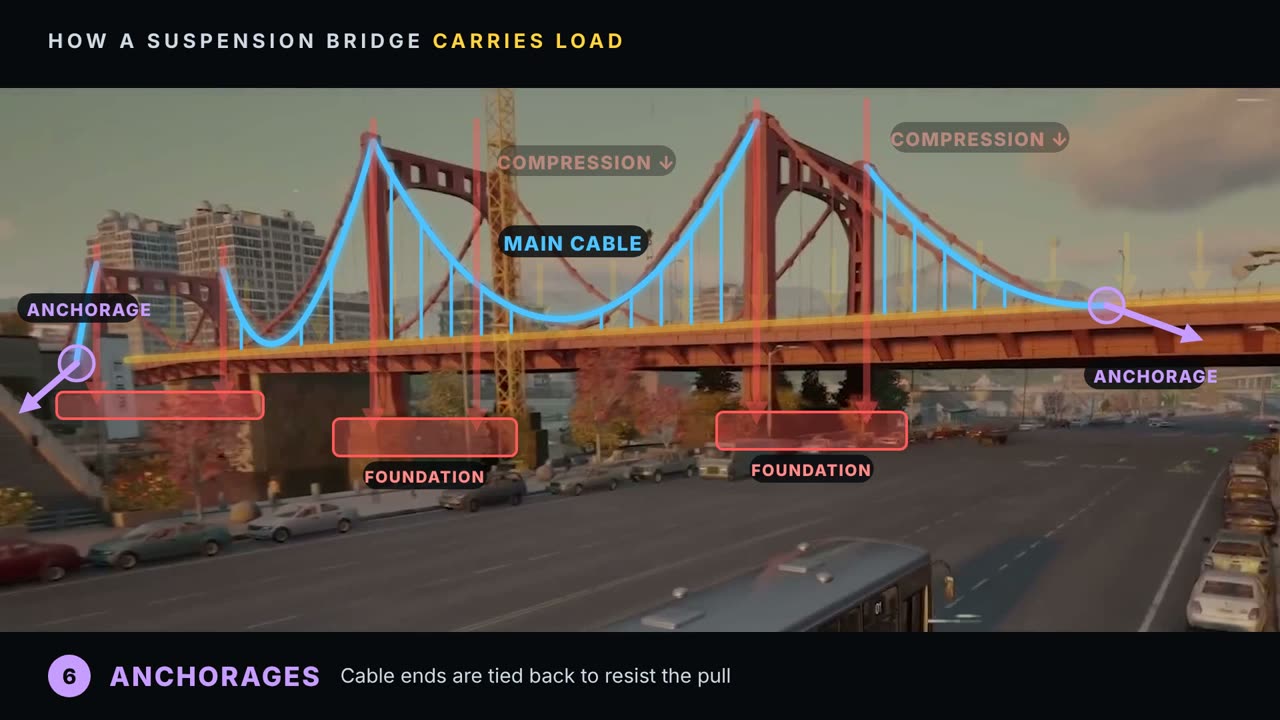
How a suspension bridge carries load
- Animation
- Voiceover
- Music
- Step captions
Real footage, a new look.
The agent found the loudest moment across 70 talks, redrew it as a comic, then built an animated layout where the original and the restyle trade places on every beat.
- You S
Find the most energetic 8 seconds in these talks and make them a comic-style cold open, then cut back into the real footage.
- StarZero To-dos (4)
- Find the moment
- Comic restyle
- Cut back to the same moment in the real footage
- Render
Questions answered- Which talks should I search? Whole library
- How should I get the comic look? AI video restyle
- Which aspect ratio? 16:9
A few questions before I start.
- You S
Whole library. Go with the AI video restyle for the comic look, keep the original audio under it. After the cold open, cut back to the same moment in real footage and let it keep going a bit, under 30 seconds total. 16:9.
- StarZero Questions answered
- Which moment should I restyle instead? The Mothman moment
Show 3 actions taken
- Searched 70 talks for the most energetic 8 seconds
- Checked the transcript and shots around the top pick
- Tried the comic restyle on the top pick
My first pick couldn't be restyled because it features a recognisable public figure. Here are other high-energy moments I can use instead.
- You S
Go with the Mothman moment instead.
- StarZero
Show 5 actions taken
- Pulled the transcript and shots for the Mothman moment
- Restyled 8 seconds as a comic
- Checked the comic frames
- Kept the original stage audio underneath
- Cut back to the real footage at the same moment
An AI comic-book version of "Give me Mothman, Ethan! Give me Mothman!", drawn with bold ink outlines, halftone dots, primary colours and starbursts. … The original stage audio plays underneath, then it cuts back to the same moment in the real footage.
Render · earlier version - You S
Restyle the whole clip in the comic style, not just the first 8 seconds. Then use animation to show the real footage and the comic version side by side, trading places on key moments like the reveal. Add small "Original" / "Restyled" labels and keep the original stage audio.
- StarZero
Show 5 actions taken
- Restyled the remaining 11 seconds in 2 pieces, cut where the camera cuts
- Joined them into 1 continuous comic version
- Built the side-by-side animated layout
- Timed 3 swaps to the beats
- Checked frames across the render
Both versions play in sync the whole way through. … The 2 panels slide across each other and trade sides 3 times: on the second "Give me Mothman!", on the Mothman reveal and when the camera cuts to the players.
Render · earlier version - You S
Change the layout. One version fills the frame and the other sits in front at 90%, anchored top-left. On the same beats, swap which one is in front, with a stylish transition. Keep the labels and the stage audio.
- StarZero
Show 5 actions taken
- Rebuilt the layout as a full-frame background and a 90% front panel
- Designed a halftone sweep for each swap
- Moved the background label into its visible strip
- Caught a tilted panel in the opening and fixed it
- Checked frames across the render
One version fills the whole frame. The other sits in front at 90% size, pinned to the top-left corner. … A yellow comic-style band with black halftone dots sweeps diagonally across the screen, and while it covers the frame, the 2 versions trade places.
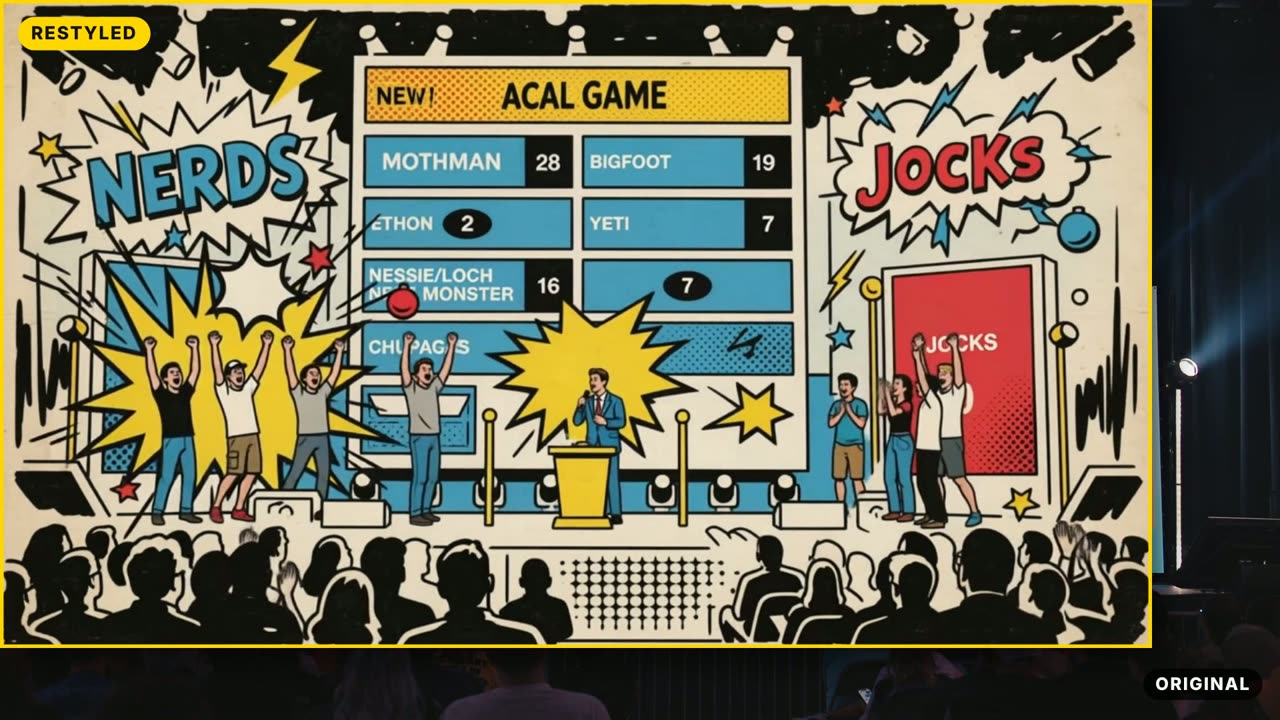
Mothman: original vs restyled
- Library-wide search
- Video restyle
- Animated layout
- Original audio kept